Bounding Box Annotation
Axis-aligned rectangle annotations for object detection training data, delivered with 97%+ accuracy under a three-tier QA cascade.
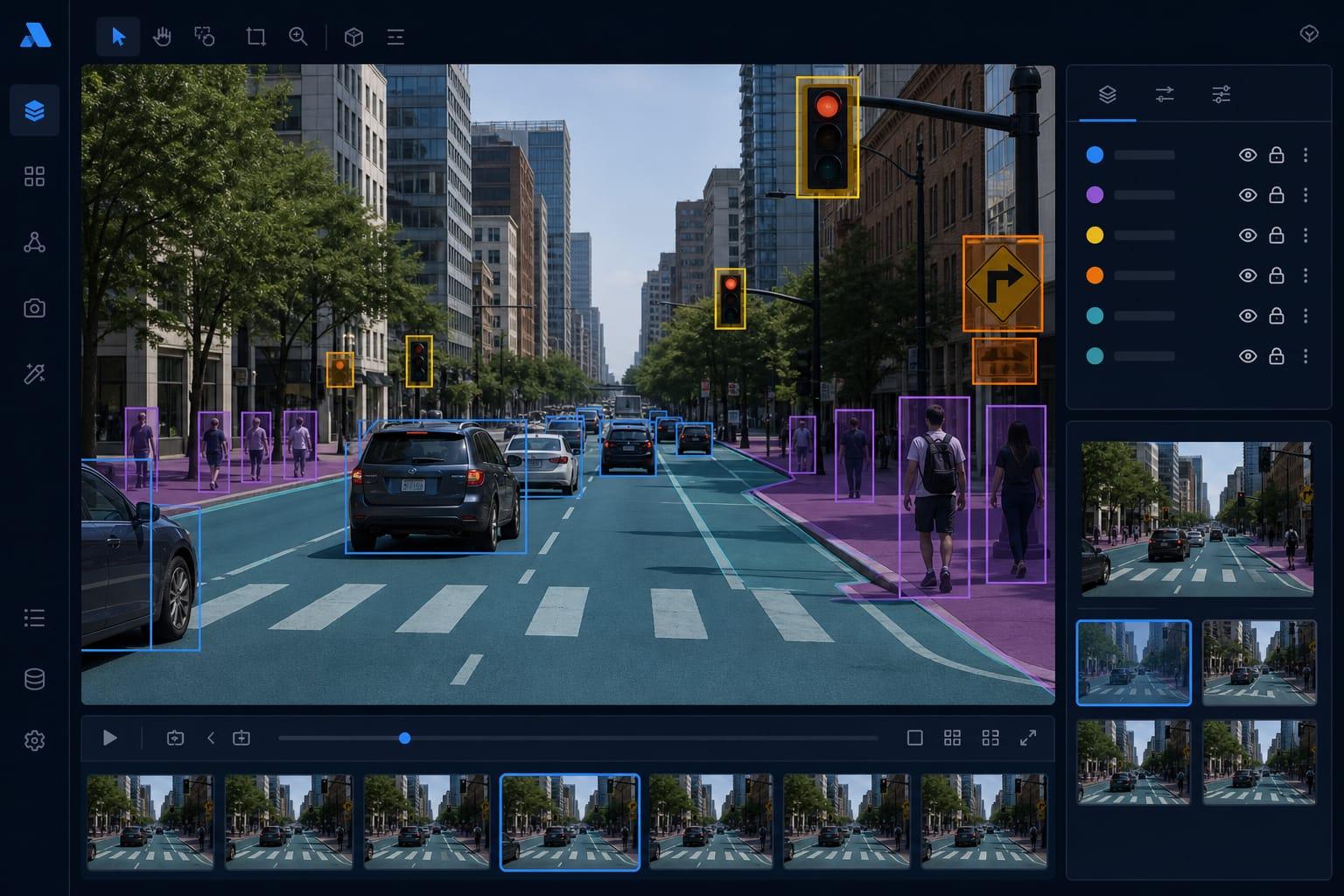
Bounding box annotation draws a tight-fitting rectangle around each object of interest in an image or video frame. Each box is labeled with a class and optionally with additional attributes such as occlusion level, truncation, and motion status. Object detection models learn to predict these coordinates and class labels for objects in new images.
Corpshore delivers bounding box annotation for single-class and multi-class programs, 2D images and video frames, in-the-wild and controlled studio datasets, and annotation programs spanning everyday objects, vehicles, industrial equipment, medical structures, and specialized domain items. Native annotators in 18+ countries provide the cultural and contextual familiarity needed for accurate labeling across diverse geographies.
Quality is enforced through the standard three-tier cascade: annotator self-review, peer review sampling, and expert QA-lead audit. Bounding box programs additionally include automated tightness checks that flag boxes with excessive background padding or under-tight edges that miss part of the labeled object.
Common use cases
- Autonomous vehicle perception: vehicles, pedestrians, cyclists, and infrastructure
- Retail shelf analysis: product and SKU detection
- Security and surveillance: person and object detection
- Agricultural monitoring: crop, pest, and equipment detection
- Industrial inspection: defect and component detection
- Medical imaging: lesion and anatomical structure localization
Industries served
Delivery details
Bounding box annotation is delivered in COCO JSON, YOLO, Pascal VOC, or client-specified format. Video tracking annotations include per-frame bounding boxes with consistent object IDs across the temporal sequence. Attribute schemas are defined during program scoping.
Frequently asked questions
Standard practice is to draw the box as tight as possible while fully enclosing the visible portion of the object. The box should not clip the object at any edge, and it should not include excessive background padding. Edge cases, such as partially occluded objects and objects at frame boundaries, are covered in annotation guidelines defined before the program begins.
Learn the terminology
Full service scope
Ready to scope a pilot?
Tell us your modality, volume, and languages. We'll return an indicative scope, timeline, and cost band.